Designed by Milad Fakhr.
Voice Recorder,
Voice Memos
®

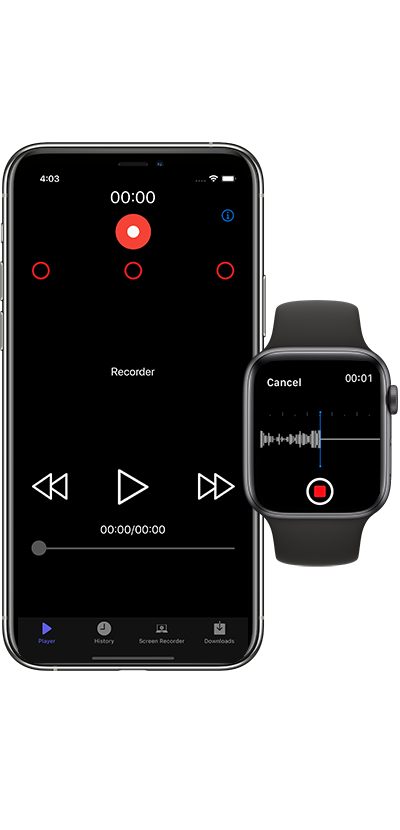
Voice Recorder Voice Memos ® is a Voice Recording tool with plenty of great features. It offers excellent sound quality. There is a Media player in the app that you can play, reward & forward the audio memos even in lock screen Mode. And a Sound editor too, cut or trim MP3 files easily. This reliable and modern voice recorder has a variety of options for quick recording.
_withoutshadow.png)
Export & Import & Share
Import MP3 files to play and archive them in the app. Share your recorded memos or transfer them easily to your Mac or PC.
Mp3 Player
A professional built-in MP3 player lets you play all your audio files with ease, offering a smooth and enjoyable listening experience.
Audio Editor
A built-in audio editor lets you trim your recordings easily, especially when long background memos need quick adjustments.
AI Dictation
Supports AI-powered speech-to-text dictation for accurate transcription. Your voice is converted into text instantly.
Unlimited Recording
Recording Unlimited (not included in the price) .
Universal App
Universal App (iPhone & iPad ) . This application is very compatible with your devices. You will Enjoy it.
Apple Watch
This application has great performance with Apple Watch. You will like it.
Recording in Background
Recording in the background AirPlay® is available in this app. you can use it.
AMAZING FEATURE
A Simple, Professional App
One Touch
With just one touch , Start or Stop recording
3D Touch
3D Touch for better performance
Mp3 files
Voice Memo In Mp3 & RAW Format
Timer
There is a Record Timer & Playback Counter
Email Voice & iMessage
Voice Email Up to 5MB
Sticker Color
Sticker Color For Searching easy your files
Display File Size
Displays File Sizes and Time Stamps
Auto File Naming
Yes, You can count on Auto File Naming.
DESCRIPTION
INCLUDE
Amazing Feature
- Universal App (iPhone & iPad )
- Offers Apple Watch App for iPhone
- Sharing is available With USB
- Sharing is available With WhatsApp, Google Drive and Files
- 3D Touch enabled actions on Voice Recorder Free will let users complete essential tasks more quickly and simply
- iCloud
- Recording in the background AirPlay®
- Scan fingerprint for more security files (Touch ID)
- Exporting recorded memos to your Mac/PC via USB
- HOW TO TRANSFER Memos You voice TO MY COMPUTER?1- Connect your iPhone/iPod to iTunes2- Select your device in iTunes on the left3- At the top click on the "Apps" tab4- Scroll down and select the app My Voice Record on the left5- Your voice memos will appear on the right, just save them in any folder you want
DESCRIPTION
Voice Recorder Free is an easy voice recorder
- One Touch Recording
- One Touch Stop & Save
- Storing recording both in RAW and mp3 format
- voice memos
- voice email
- easy to use
- Recording Unlimited (not included in the price)
- Voice Email Up to 5MB
- Record Timer & Playback Counter
- Auto File Naming
- Sticker Color For Searching easy your files
- Displays File Sizes and Time Stamps
- supported recording in background